
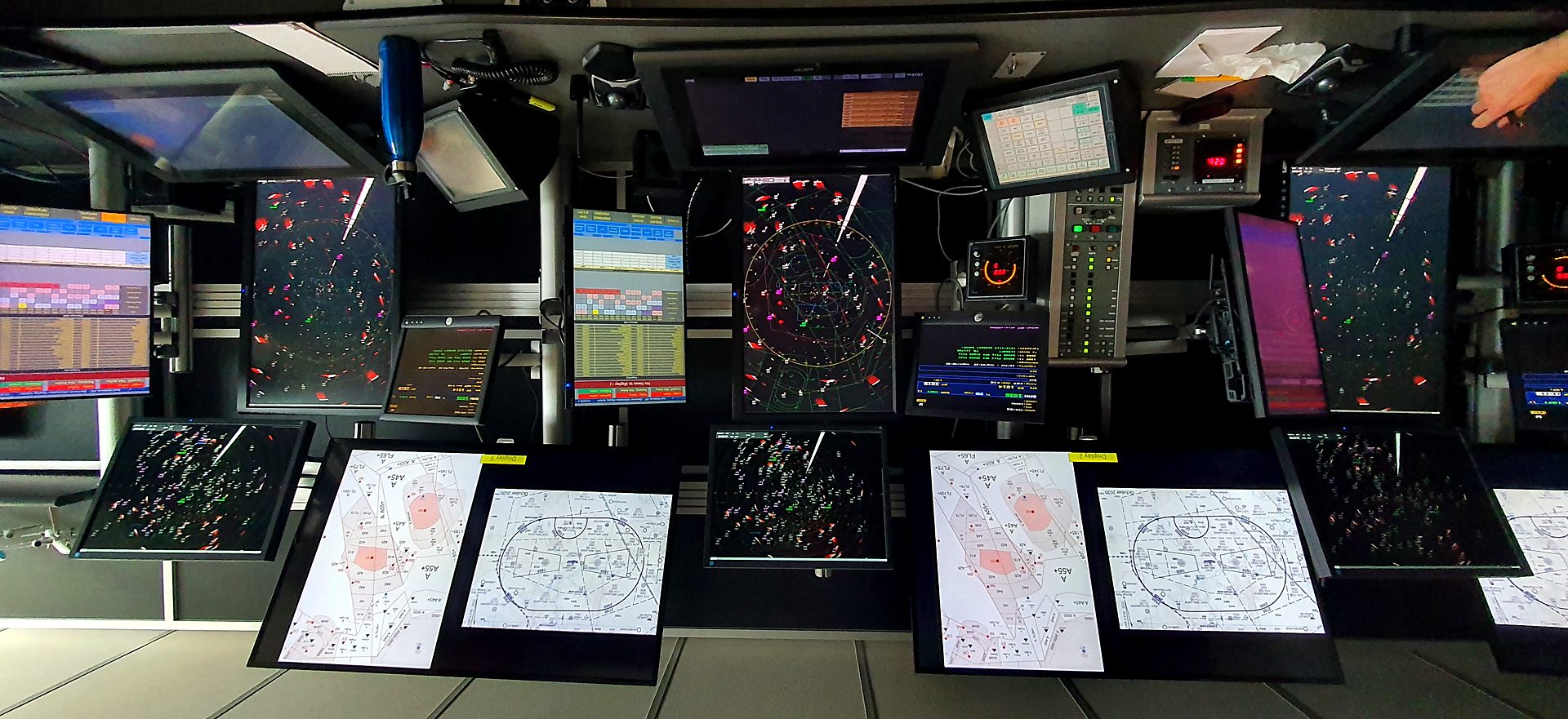
Every source. One position. A safer operation.
MEIDS brings your charts, instructions, weather, NOTAMs and checklists into a single always-current position display — streamlining the controller's workflow and giving your unit a live, evidenced picture of competency and currency.
Four things every ops room needs to get right
MEIDS was built by controllers to solve the problems that actually slow a position down and put safety margin at risk — not the ones a vendor assumes matter.
Streamlined workflow
Everything a controller reaches for — tables, charts, maps, prompts — is one press away and laid out for the position, not retrofitted onto it.
One place for every source
Internal documents, ICAO data, NOTAMs and live weather sit alongside each other instead of across separate systems, tabs and paper.
Safety through shared checklists
Checklists that every position can see and confirm together, so procedural steps are followed and visible — not just remembered.
Currency you can evidence
Real hours in position, tracked automatically, mapped straight to competency and currency requirements — ready for audit, not reconstructed for it.
One screen. Every source that matters.
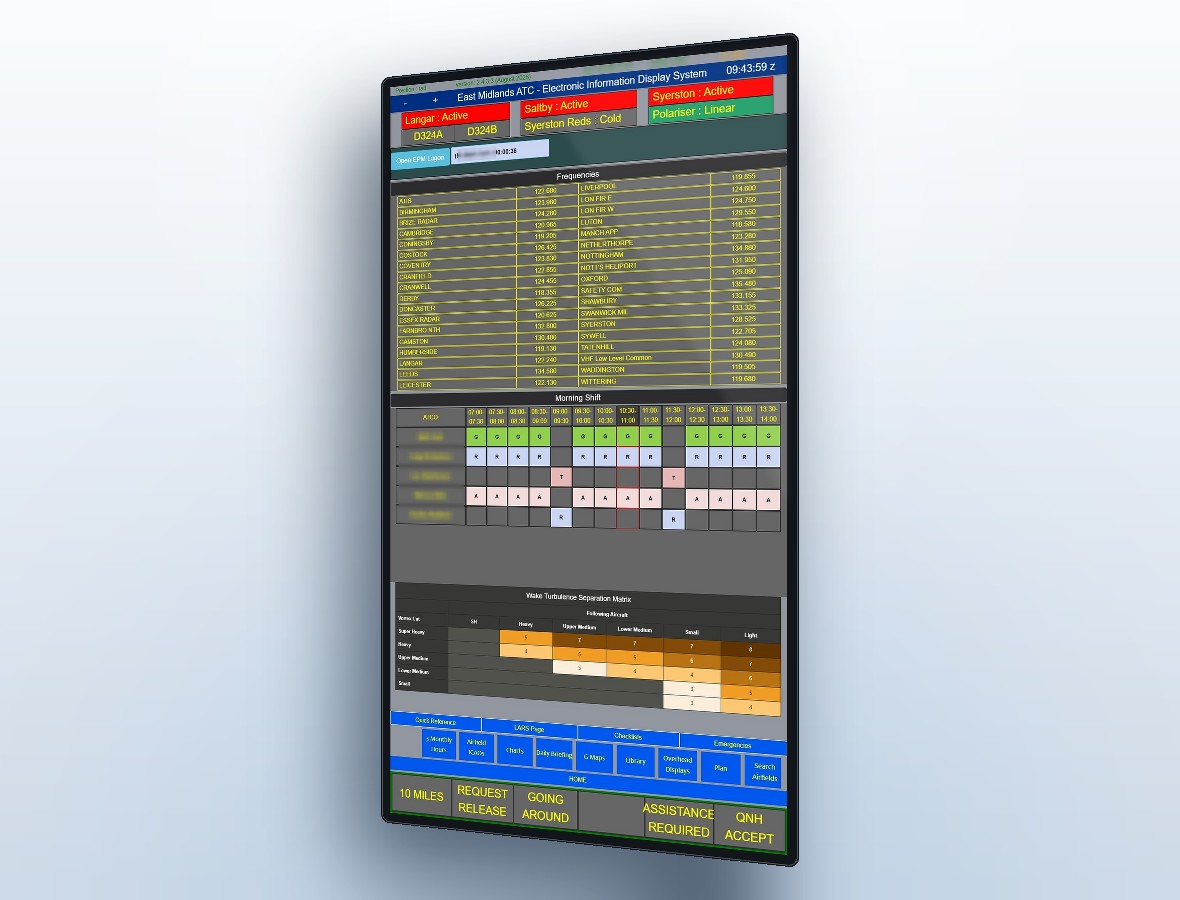
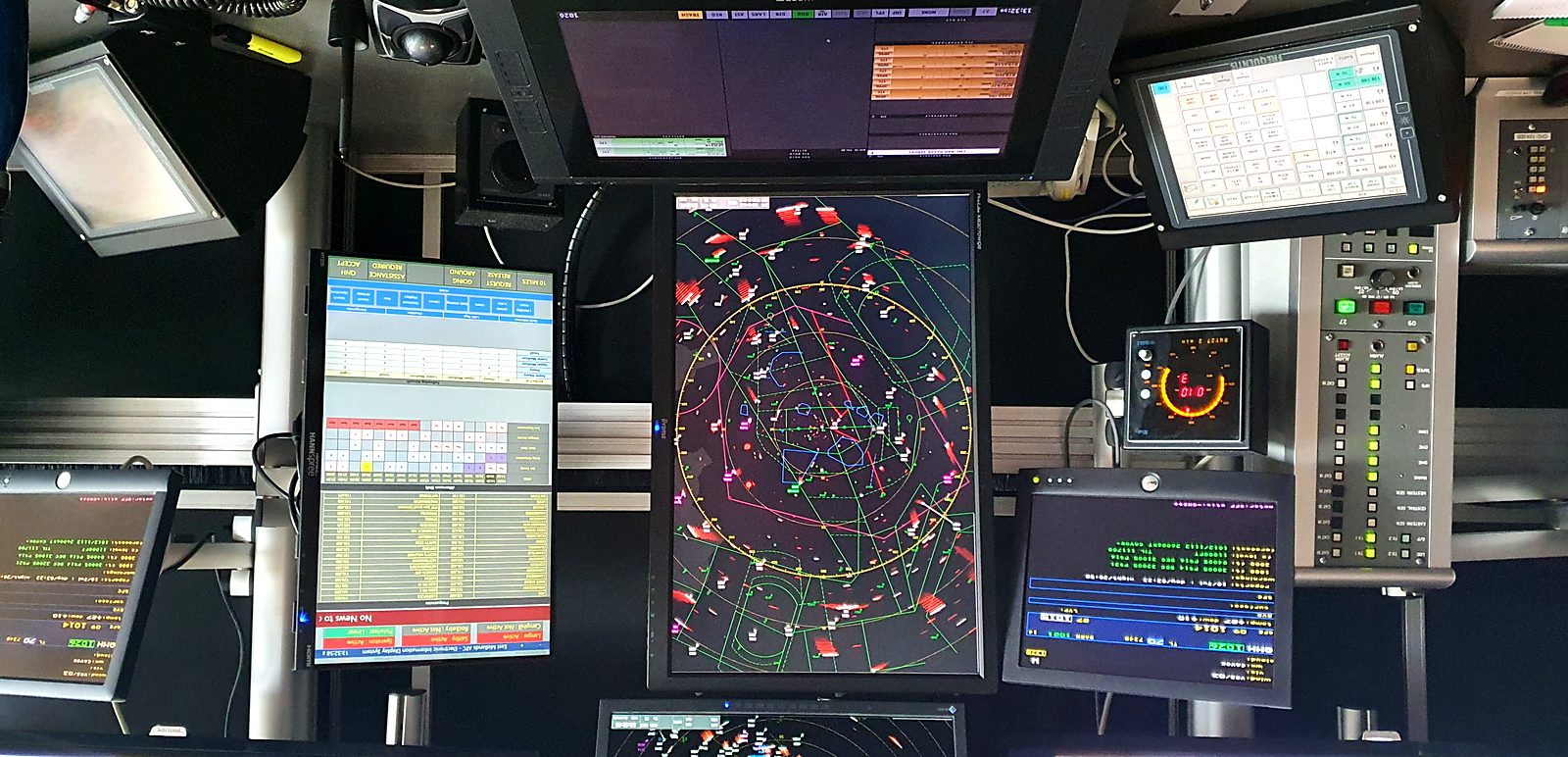
Internal documents, operational tables, live weather and ICAO data sit together in a single indexed display, with direct navigation-bar links to whatever your controllers reach for most often — so nobody is switching systems mid-task.
- Squawk, frequency and wake turbulence tables on screen
- ATCO seating plans displayed live
- NOTAMs and ICAO data via API integration
- Worldwide aerodrome weather through the FAA met system
- Portrait for radar positions, landscape for the tower
Shared checklists, not tribal memory
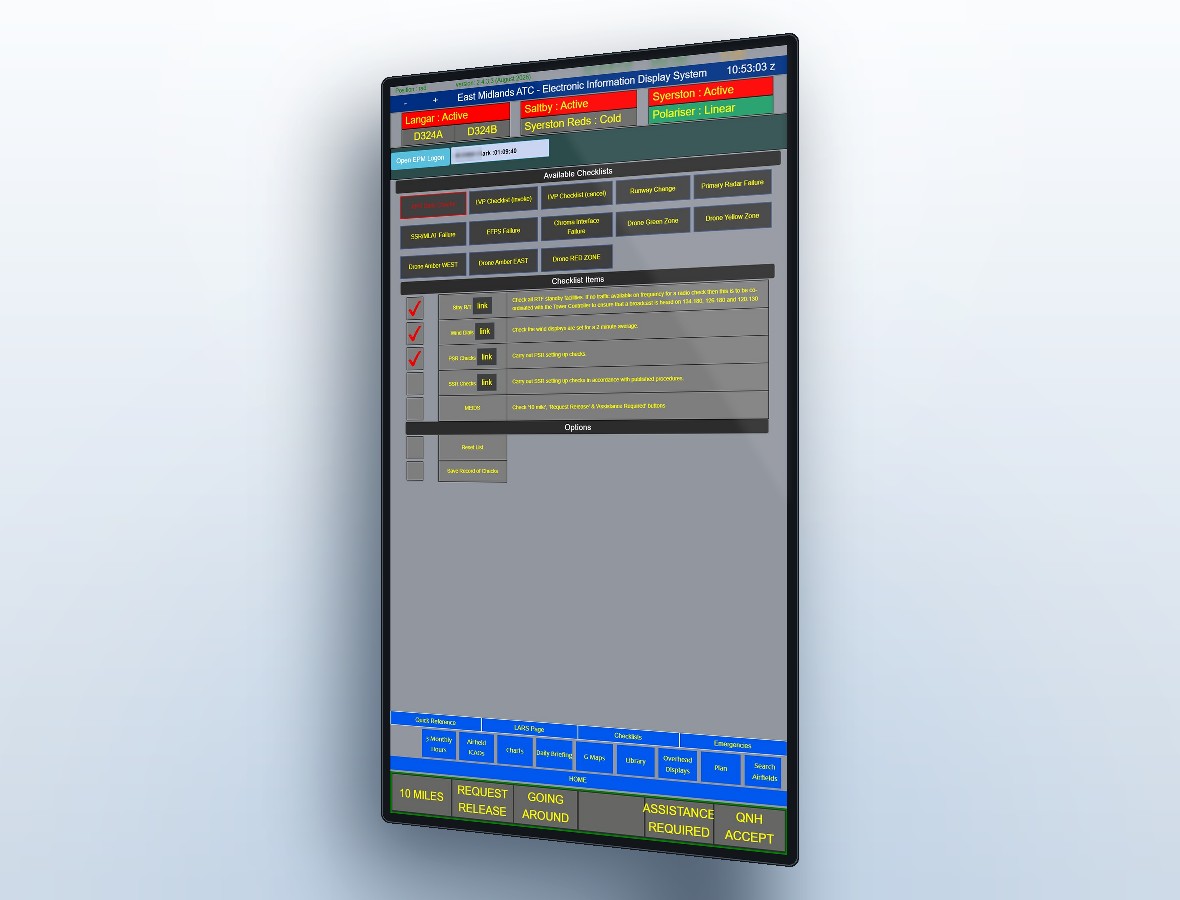
Procedural checklists live on the position itself and sync across every screen in real time, so a step confirmed at one position is visible at every other — steps aren't lost to a busy shift or a change of controller.
- Checklists for runway change, primary radar failure, drone zone activity and more
- Confirmations sync live across every connected position
- A saved record of every checklist worked, item by item
- The assistance alarm and airspace activity buttons work the same way — instantly visible unit-wide
Currency you can actually evidence
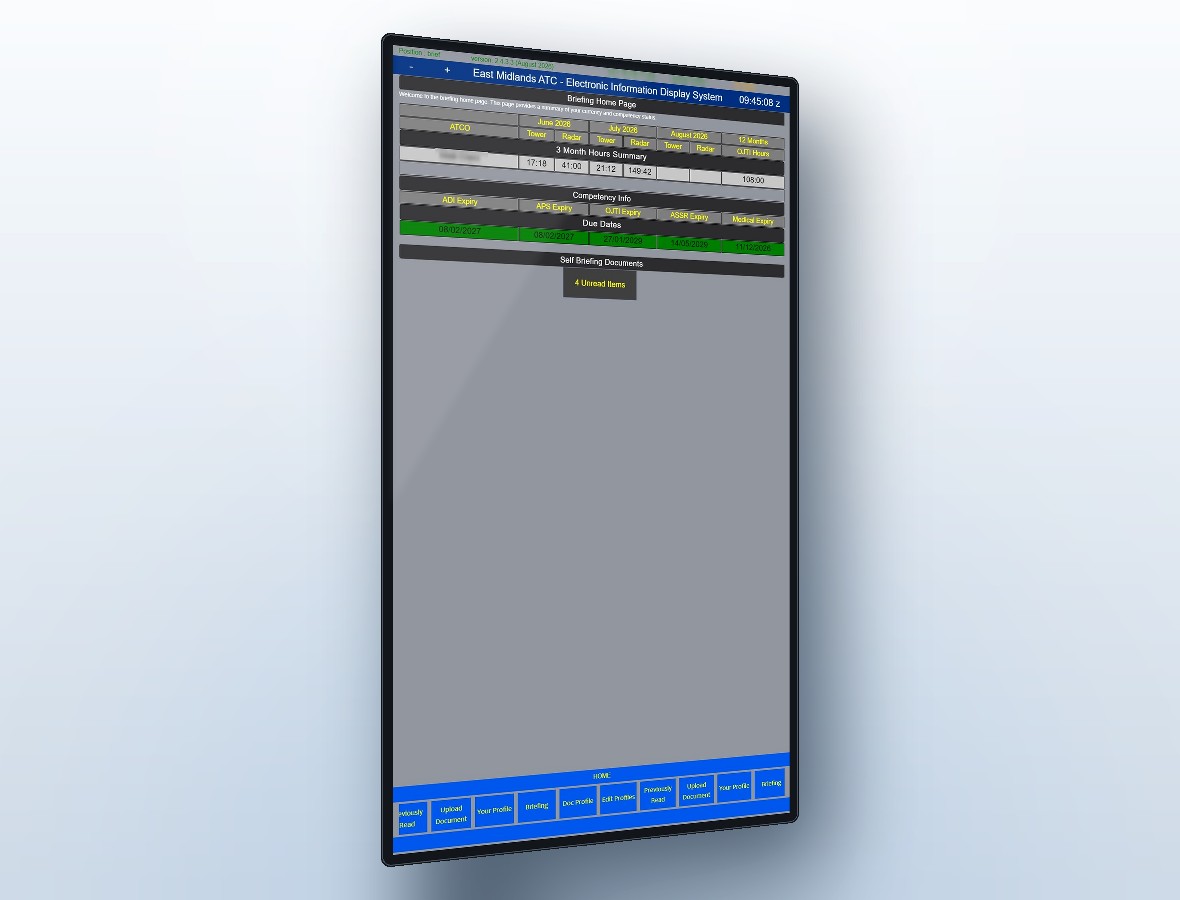
Controllers tap in with an RFID card and select the role they're adopting. MEIDS records the real hours in position — not the roster's best guess — and maps them straight to competency and currency requirements.
- Accurate currency data for every position and rating
- Warns when time in a seat approaches your published limits
- Flags controllers who forgot to swipe in
- Checks actual staffing against the seating plan
- Detailed hours reports ready for competency schemes and audits
The latest edition, guaranteed
RFID logon takes each controller straight to their own briefing area: unread documents first, a timestamped record of everything already read, and superseded instructions removed the moment they're replaced — not whenever someone gets round to it.
- Auto-updating 4K briefing board with live METAR and TAF
- Diary entries appear on the day and clear themselves when expired
- Documents uploaded from any MEIDS admin terminal, live everywhere instantly
- Audit trail of who has read what, and when
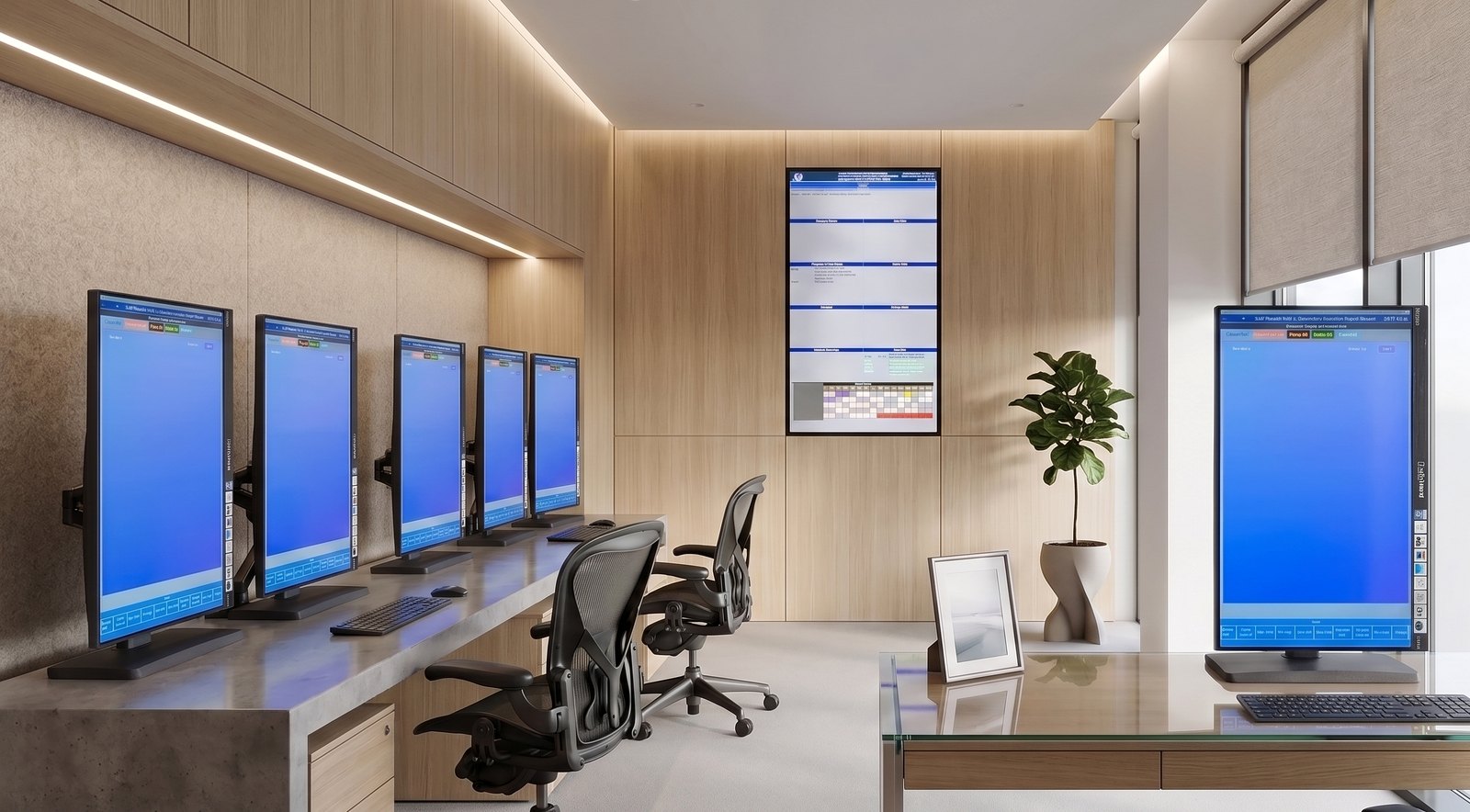
Mix and match to fit your unit
Every module below can be included or left out. Start with the information display and add capability as you go — that is exactly how MEIDS grew in the first place.
Information Display System
Indexed document library, quick reference, maps and operational tables at every position.
Radar Overhead Displays
50" map displays driven from any operational position, served from one central repository.
Competency & Currency
RFID tap-in position monitoring with detailed hours reporting for every controller.
Shared Checklists
Role and position-specific checklists, confirmed live across every connected screen, with a saved record.
ATCO Self-briefing
Personal briefing areas, unread lists and a timestamped read record per individual.
ATC Briefing Board
4K board with live METAR/TAF and a diary that populates and expires itself.
Building Access Monitor
Tap in and out, a live “Who’s In” page, and roll-call data pushed to an evacuation laptop.
Airspace Activity Display
Activity buttons synced in real time across every position, with fully customisable labels.
Assistance Required Alarm
One button raises a banner on all positions and can drive external bells or door relays.
Airfield Restrictions Helper
Type-specific manoeuvring restrictions surfaced in seconds instead of hunted through.
Designed around the position, not the other way round
MEIDS was built inside a working ATC unit during an operations room redesign, where old equipment had to be replicated in new desks and audit findings had to be closed at the same time. That constraint shaped everything.
- Portrait or landscape to suit each position
- 23" touchscreens on compact PCs — no bulky hardware in the desk
- Chrome in kiosk mode: no desktop, no distraction
- RFID reader at every position
See MEIDS running
We'll walk you through the modules, show you the system in operational use and talk about what a deployment at your unit would actually involve.