
Take the whole system, or just the parts you need
MEIDS has grown module by module inside a live operational unit. Functionality can be added or stripped out to match how your unit actually works.
Information Display System
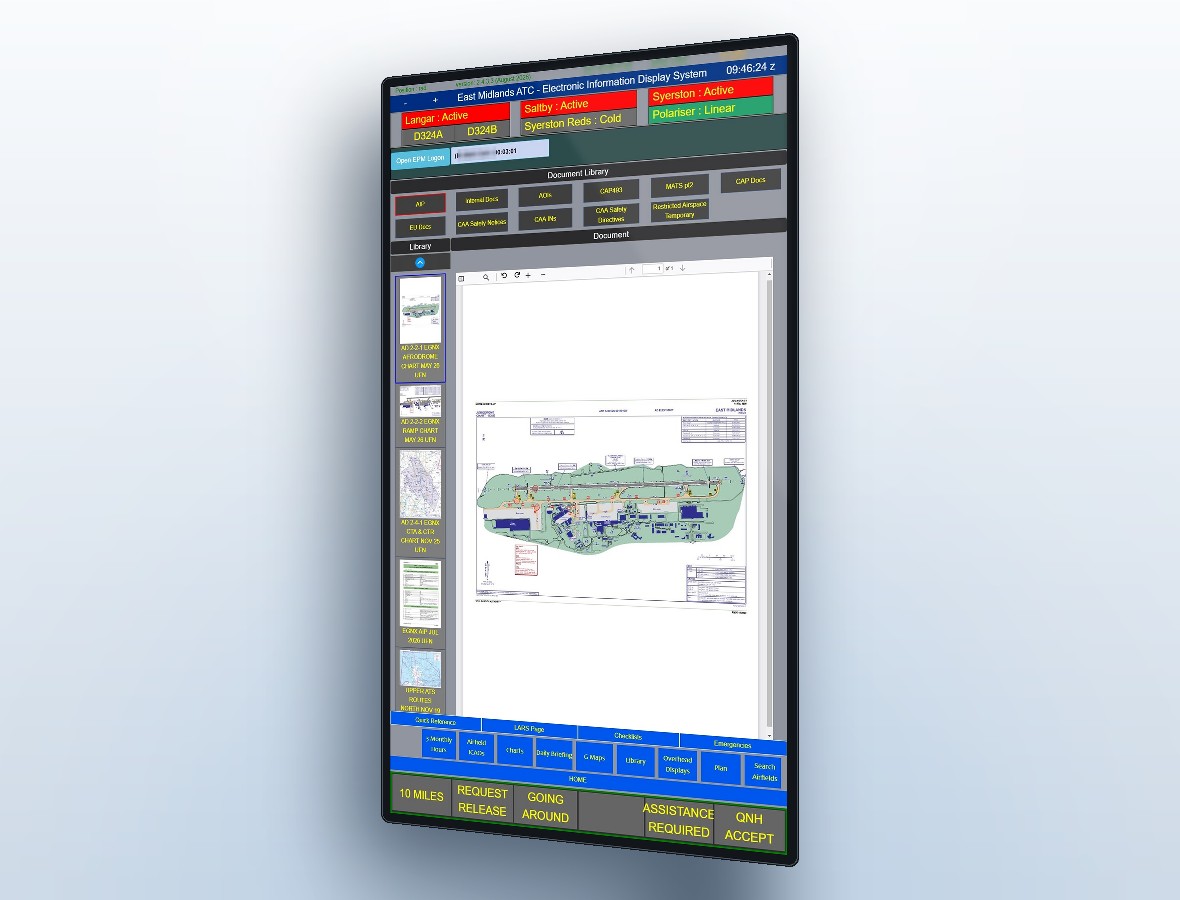
The foundation of MEIDS: every electronic document and resource your controllers need, indexed and one press away.
- Indexed document library, plus a quick-reference section for lighter material
- Direct navigation-bar links to your most-used documents
- Squawk, frequency and wake turbulence tables rendered on screen
- ATCO seating plans displayed at the position
- Latest NOTAMs via ICAO API integration
- ICAO data for operators, aircraft types and aerodromes, retrieved automatically
- Worldwide aerodrome weather via the FAA met system
ICAO API data services carry an additional cost.
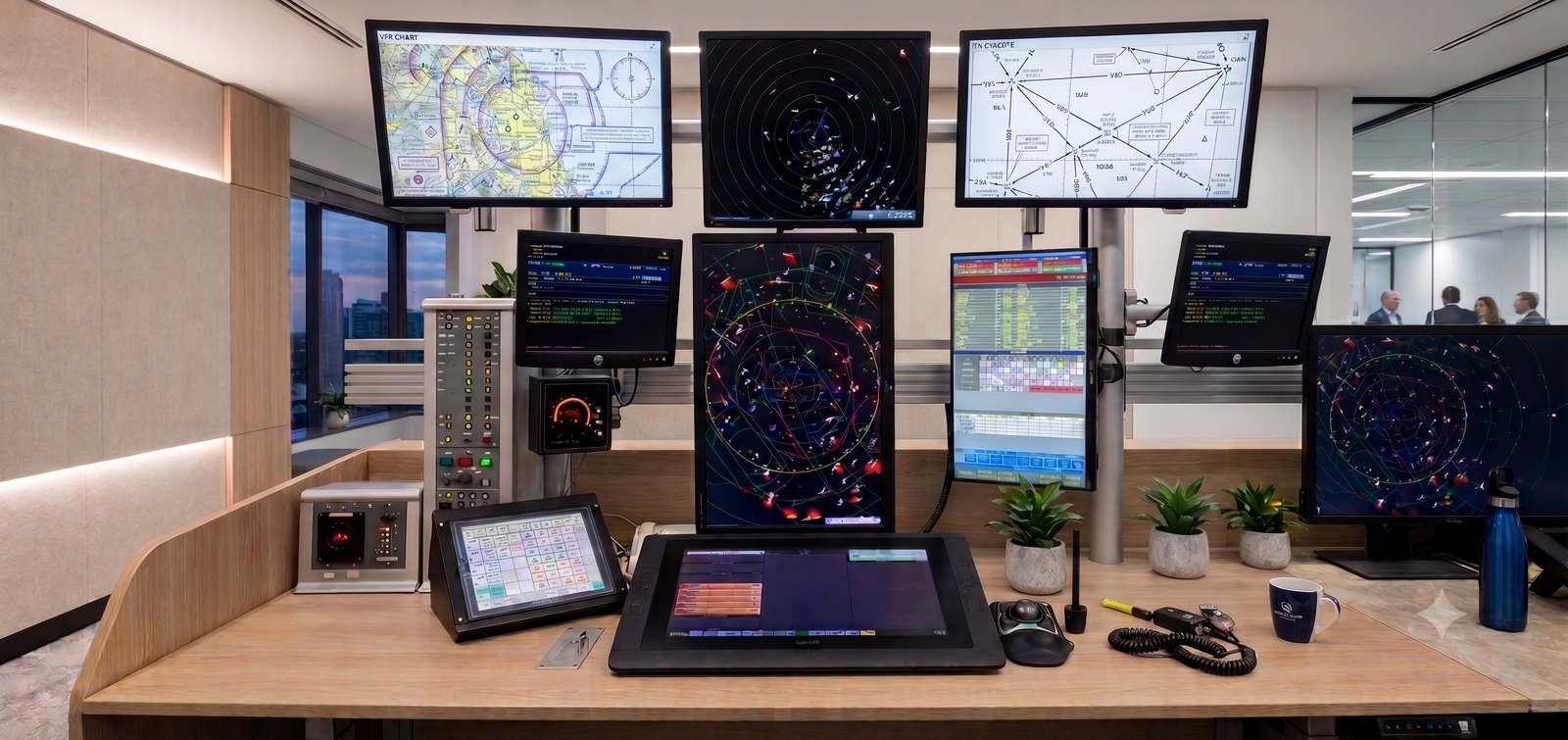
Radar Overhead Displays
Large-format map displays for the radar room, driven from the positions themselves.
- 50" overhead screens
- Map selection from any operational MEIDS position
- Maps served from a central repository — one point of update, every screen current
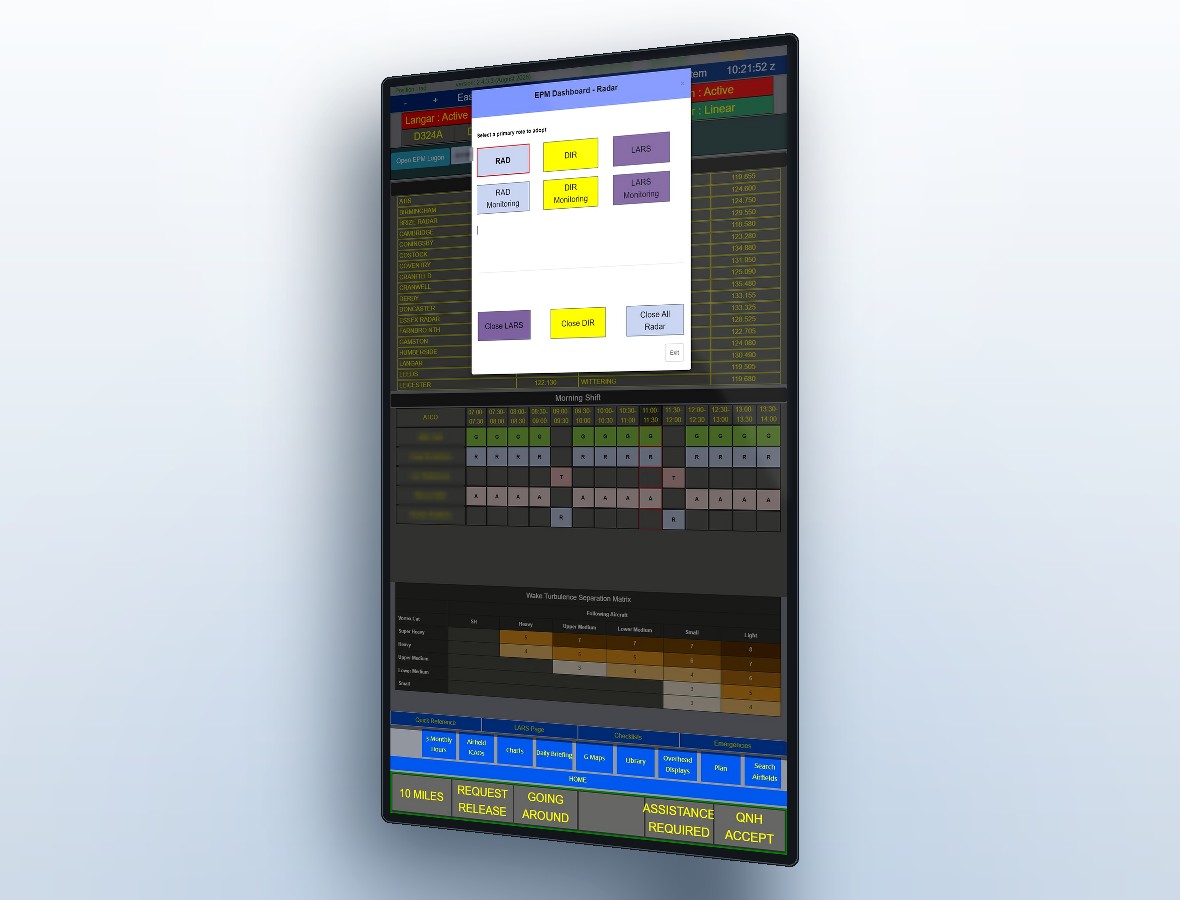
Electronic Position Monitoring (EPM)
The most recent major addition, and the one most units ask about first. Controllers tap in with a personal RFID card and select the role they are adopting; MEIDS does the rest.
- Real hours in position recorded to the database, per controller, per role
- Currency data extracted straight into compliance reporting
- Enforces maximum time in a seat against your published limits
- Checks staffing against the seating plan
- Warns controllers who have forgotten to swipe in
- Accurate training times as a by-product
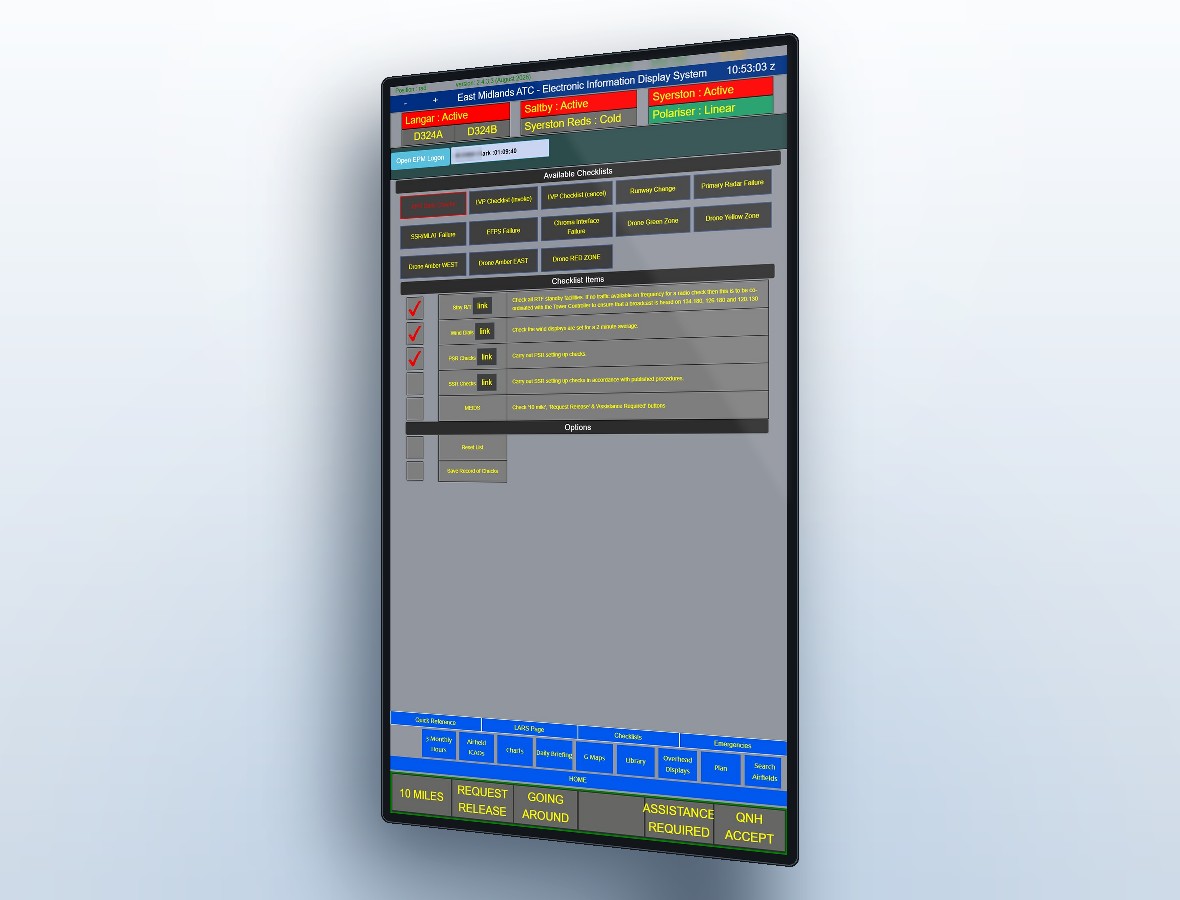
Shared Checklists
Procedural checklists — LARS, emergencies and unit-specific procedures — live on the position display and sync across every connected screen in real time, so a step confirmed at one position is visible at every other.
- Role and position-specific checklist sets
- Confirmations sync live across every position, not just the one used
- Nothing depends on one controller remembering to tell the next
- Sits alongside the assistance alarm and airspace activity buttons, which work the same way
Self-briefing system & briefing board
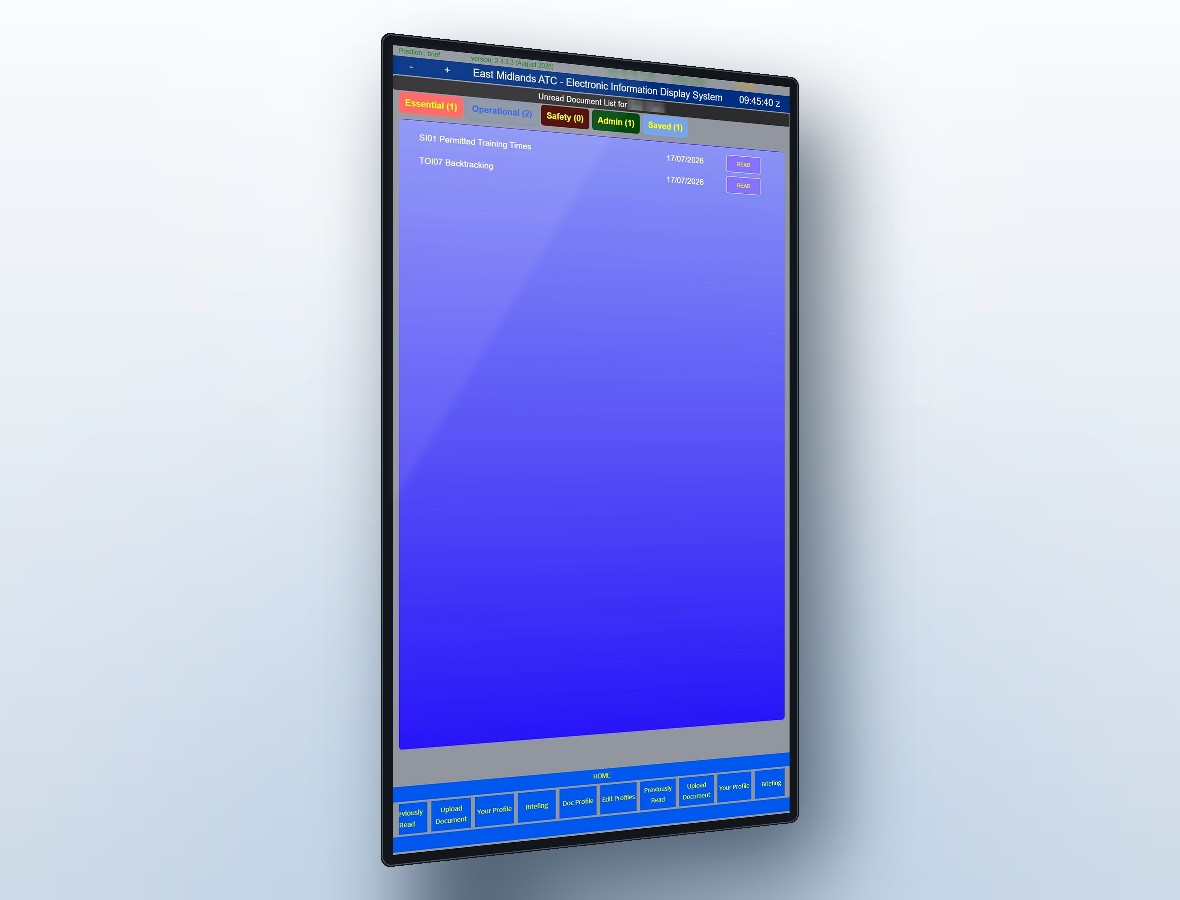
Two halves of the same problem: making sure people have read what they need to, and proving it afterwards.
- RFID logon into a personal briefing area
- Latest unread documents surfaced first
- Email a copy of any document to a nominated address
- Timestamped record of everything previously read
- Upload from any MEIDS admin terminal
- 4K briefing board with live METAR and TAF
- Diary entries that appear on the day and expire on their own
Building Access Monitor
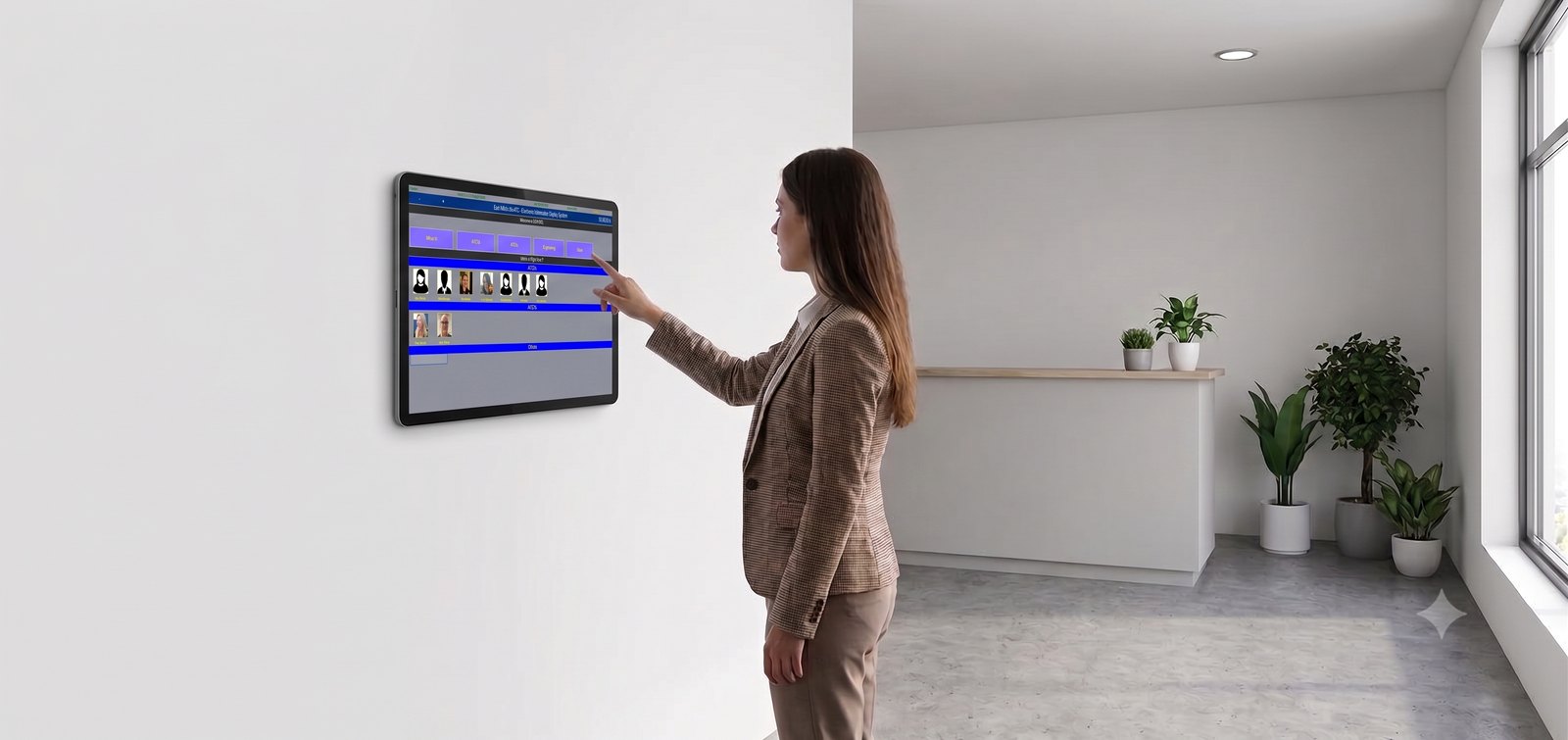
Who is in the building, right now — and a roll call you can carry out of the door with you.
- Tap in and out on a unique RFID card
- Live “Who’s In” page for managers
- Data pushed to an evacuation laptop for roll-call at the assembly point
Airspace Activity Display
Activity buttons at each position show airspace boxes as they are activated and de-activated. Positions are linked in real time, so every screen updates the moment anything changes, and every label is customisable — radar suppression, range and danger area activity, whatever your unit needs to see.
Assistance Required Alarm
A button on every screen. Pressing it raises a banner on all positions naming the position that triggered it. The system also drives relay switches, so it can sound an external bell or release a door lock at the same time.
Airfield Restrictions Helper
Airfields have accumulated ever more complex rules about which types may manoeuvre where. The helper page gives controllers immediate access to the restrictions that apply to the specific type in front of them.
Position-to-position prompts
Communication and prompt buttons between operational positions, so routine coordination doesn't need a landline.
Document & map repository
A single central store behind every module. Update once and every position, board and overhead display follows.
Reporting
Detailed hours reports, read-and-sign records and occupancy history, all held in the Postgres database.
Which modules would suit your unit?
Tell us how your ops room works and we'll tell you honestly what MEIDS would and wouldn't change.